
How to Update Registered Email ID of Company/LLP
in MCA Master Data Services — 2026 Official Process
A step-by-step compliance guide based on the official MCA notification — covering both new registrations and updates to existing Business User accounts on the MCA V3 Portal.
OTP Authentication
Required
Update Process
(Existing Users)
Government Fee
for Email Update
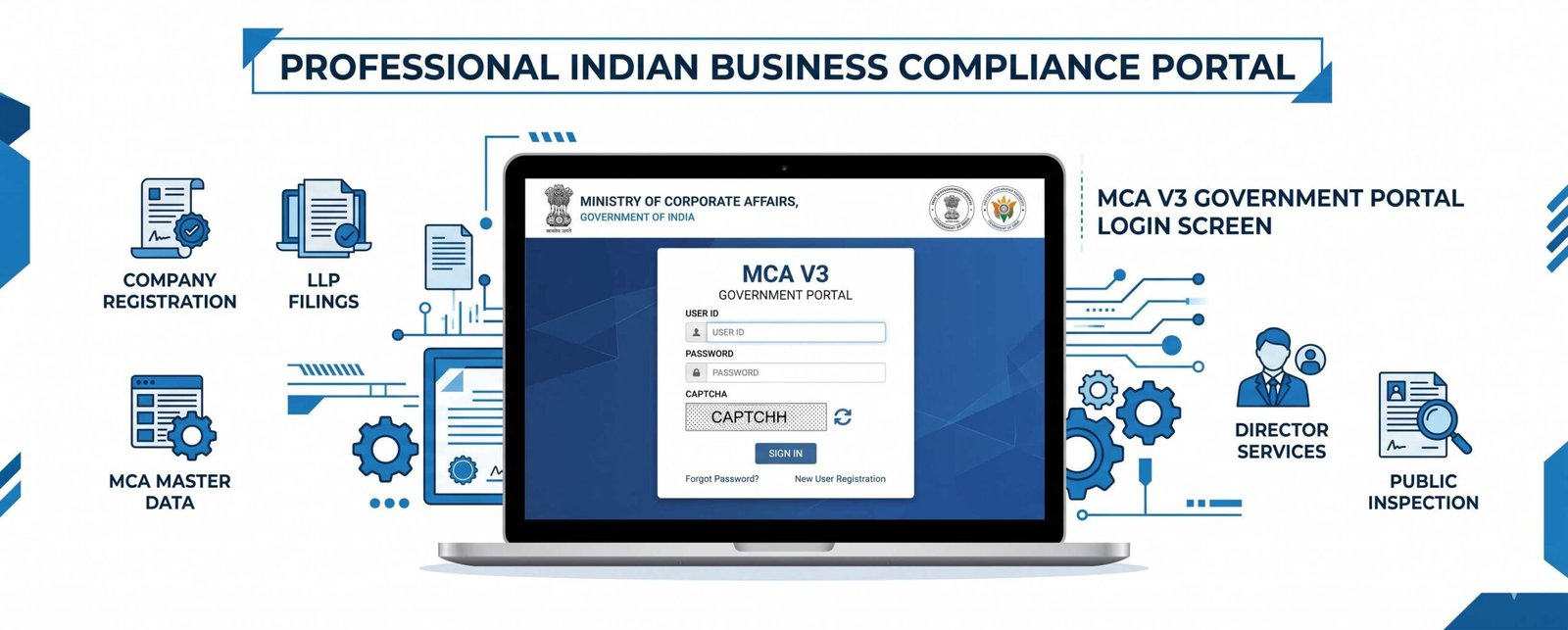
- No existing MCA V3 login? Register under the 'Business User' category on the MCA V3 Portal using a unique email ID — the registered email auto-reflects in MCA Master Data Services upon successful registration.
- Existing Business User account? Email update is done exclusively through the Profile Update section — not through any eForm or V2 route (V2 is fully disabled for filing since 18 June 2025).
- Dual OTP mandatory: Two Directors (for a Company) or two Designated Partners (for an LLP) must both authenticate the request via OTP on their registered mobile number and email ID.
- Auto-update in Master Data: Once verified, the new email ID automatically updates in the Company/LLP Profile and MCA Master Data Services — no separate form filing is required.
- Director/DP email changes are different: Individual Director or Designated Partner email IDs are updated only through the e-Form DIR-3 KYC — not through this process.
The Ministry of Corporate Affairs (MCA) has officially notified the process for updating the registered email ID of Companies and LLPs in the MCA Master Data Services via the MCA V3 Portal. As part of MCA's ongoing digitisation mandate — which saw V2 completely disabled for filing from 18 June 2025 and all 38 remaining company forms fully live on V3 since 14 July 2025 — maintaining accurate contact information on the V3 portal is now a fundamental compliance requirement.
Whether your Company or LLP needs to update its registered email ID due to a change in authorised personnel, a domain shift, or incorrect legacy data, this guide covers the complete, verified, step-by-step process to update registered email ID in MCA Master Data for both new and existing Business Users — as officially notified by MCA.
1 Why the Registered Email ID in MCA Master Data Matters
The registered email ID of a Company or LLP recorded in MCA Master Data Services is the official point of contact between the entity and the Ministry of Corporate Affairs. All MCA notices, OTP authentications for form filings, compliance alerts, and Director/DP communication flow through this email address. An outdated or inaccessible email can cause:
- Failure to receive OTPs during e-filing, blocking form submissions.
- Missed MCA notices, compliance reminders, or show-cause communications.
- Inability to access or update the Business User profile on the MCA V3 Portal.
- Rejection of filings requiring authenticated Company/LLP credentials.
2 Two Scenarios: Which Applies to Your Company/LLP?
The MCA has outlined two distinct processes depending on whether the Company or LLP already has a Business User account on the MCA V3 Portal.
| Scenario | Applicable To | Process | Email Update in Master Data |
|---|---|---|---|
| Scenario A | Companies/LLPs with no existing MCA V3 login | Fresh Business User Registration on MCA V3 Portal | Automatically reflected upon successful registration |
| Scenario B | Companies/LLPs with an existing Business User account on MCA V3 | Profile Update → Update Email ID (OTP by 2 Directors/DPs) | Automatically updated after dual OTP verification |
⚠️ Important: The option to change the registered email ID through eForms is not available under the MCA V3 system. The only valid route is the Profile Update section (for Scenario B) or a fresh Business User registration (for Scenario A). Attempts to file forms for this purpose will not be accepted.
3 Scenario A — No Existing MCA V3 Login: Fresh Business User Registration
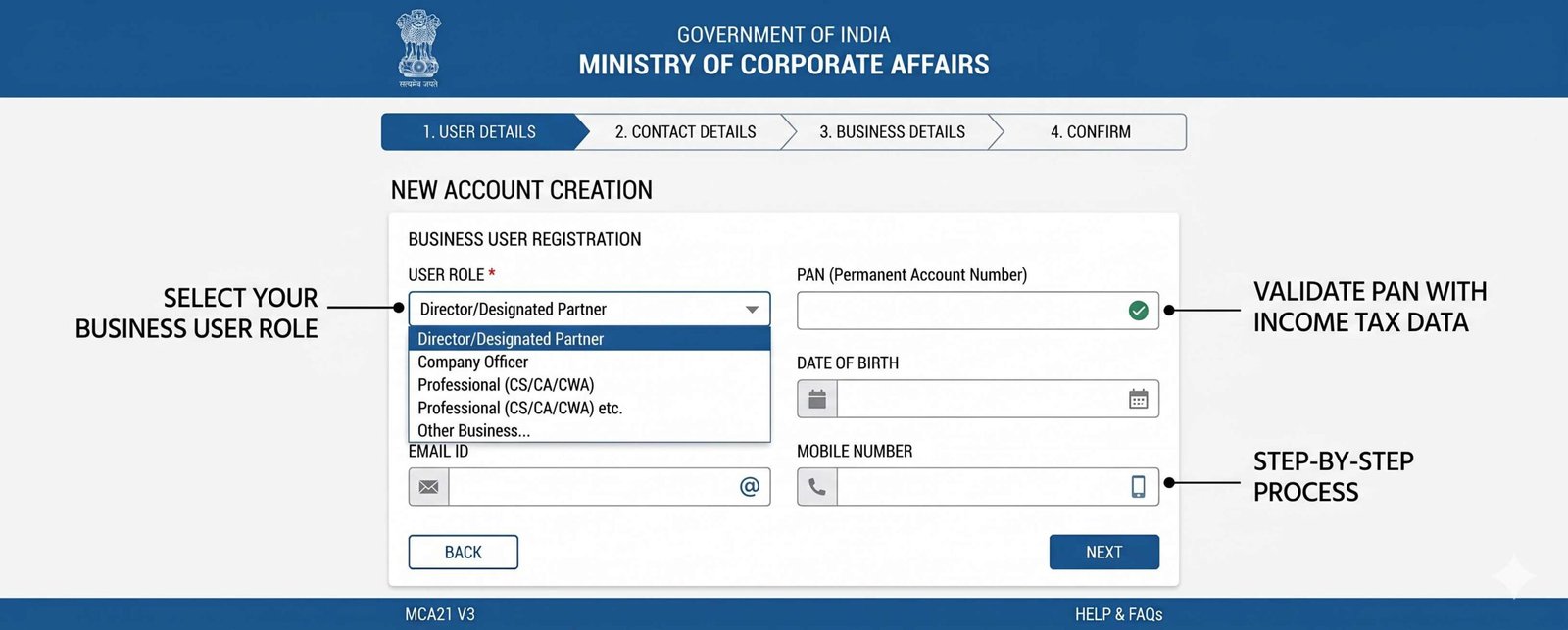
If your Company or LLP does not currently have a Business User login on the MCA V3 Portal, you must first register. The registered email ID provided during this registration will automatically be reflected in MCA Master Data Services upon successful completion.
Go to the MCA V3 Portal
Visit mca.gov.in and click on "Sign In / Sign Up."
Select the 'Business User' Category
During registration, select the 'Business User' category. This category grants access to all MCA Front Office services for the respective Company or LLP.
Register with a Unique Email ID
Provide a unique, active email ID. This email will serve as the registered contact for the entity and must not already be associated with another MCA account.
Email Auto-Reflects in Master Data
Upon successful Business User registration, the email ID provided is automatically reflected in MCA Master Data Services against the Company/LLP profile — no separate step required.
📌 Note for V2 Users: If the Company/LLP had a V2 account, it must be upgraded or merged to V3 — not re-registered with a new email. Registering with a new email when a V2 account already exists creates a separate profile without historical filing access. Use the "Merge User ID" functionality in V3 Profile Update if you have an additional V2 profile to consolidate.
4 Scenario B — Existing Business User Account: Step-by-Step Email Update Process
If your Company or LLP already has a Business User account on the MCA V3 Portal, the registered email ID in MCA Master Data can only be updated through the following process. This is the most common scenario for operating companies and LLPs.
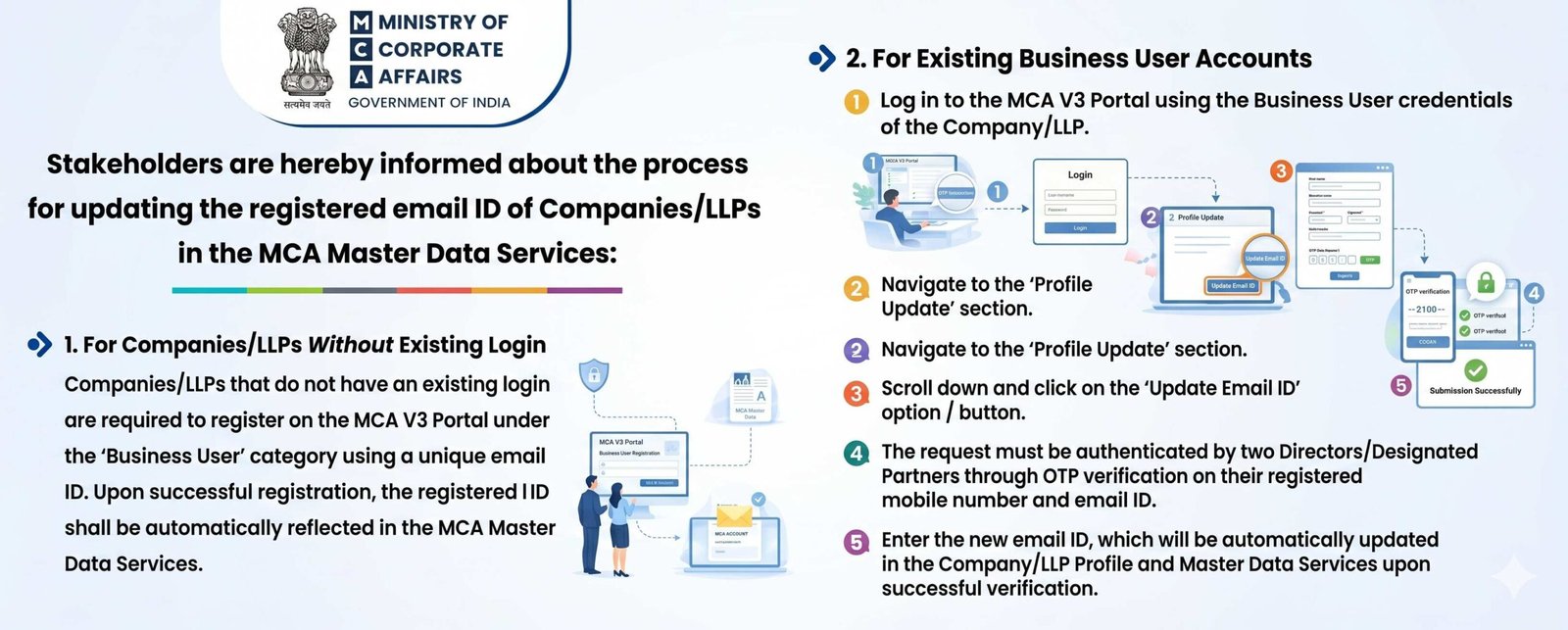
Log In with Business User Credentials
Go to mca.gov.in and log in using the Business User credentials of the Company or LLP. For Company/LLP users, the CIN or LLPIN is the User ID for login on MCA V3.
Navigate to the 'Profile Update' Section
After logging in, click on "Hello, [Username]" at the top right of the portal. From the dropdown, select "Profile Update."
Click on 'Update Email ID'
Scroll down within the Profile Update section and click on the "Update Email ID" option or button.
Dual OTP Authentication by Two Directors / Designated Partners
The request must be authenticated by two Directors (in case of a Company) or two Designated Partners (in case of an LLP) through OTP verification on their registered mobile number and email ID. Both must provide OTP for the request to proceed.
Enter the New Email ID
Enter the new email ID. Upon successful dual OTP verification, the new email ID is automatically updated in the Company/LLP Profile and MCA Master Data Services. No further action is required.
Need Help Updating Your MCA Records?
Our compliance team handles MCA V3 portal updates, Director KYC, and Business User registrations — quickly and accurately.
Get a Free Consultation → View Services5 What Cannot Be Updated Through This Process
It is critical to distinguish between the Company/LLP registered email update (this process) and other types of data corrections on MCA V3. The following details require separate e-Form filings and are not covered by the Profile Update route:
Director / Designated Partner Email
Individual Director or DP email and mobile updates must be done through e-Form DIR-3 KYC — not through the Company/LLP Business User profile update.
Registered Office Address
Company address changes require filing INC-22; LLP address changes are done through Form 15 LLP. Director address changes go through DIR-3 KYC / DIR-6.
User ID (Login ID)
The User ID on the MCA V3 Portal cannot be modified under any circumstance. For Company/LLP users, the CIN/LLPIN is the permanent User ID.
Director/DP Mobile Number
Mobile number updates for Directors and Designated Partners are restricted and must follow the DIR-3 KYC e-Form process on MCA V3.
6 Key Conditions and Compliance Points
⚠️ Two Directors/DPs Must Be Available: Since the email update in MCA Master Data requires OTP authentication from two Directors or two Designated Partners simultaneously, ensure both are available with access to their registered mobile numbers and email IDs before initiating the process. A single Director/DP OTP is insufficient and the request will not proceed.
🚫 eForm Route is Unavailable: The MCA has explicitly confirmed that the option to change the Company/LLP email ID through eForms is not available under the MCA V3 system. Any attempt to file an eForm for this purpose will fail. The only valid route remains the Profile Update section on the MCA V3 Portal.
📋 Director Email OTP Note: If a Director's registered email or mobile has changed and they cannot receive OTPs, they must first update their individual details via DIR-3 KYC before they can participate in the Company/LLP email update process. The OTP for the Company/LLP email update is sent to the Director's/DP's DIN-linked registered details — not to the existing Company/LLP email.
7 MCA V3 Context: Where This Update Fits in the 2025–2026 Compliance Landscape
The MCA V3 Portal has undergone a complete phased migration since 2022. By 18 June 2025, the V2 portal was fully disabled for all filings. All 38 remaining company annual filing and compliance forms went live on V3 from 14 July 2025. With V3 now the sole filing platform, accurate master data — including the registered email ID — is a prerequisite for uninterrupted compliance.
Companies and LLPs that have not yet upgraded their V2 profiles to Business User accounts on V3, or whose registered email IDs are outdated or inaccessible, face practical barriers to filing, receiving MCA communications, and completing authentication-based processes. Updating the registered email ID in MCA Master Data via the V3 Portal is now both a technical necessity and a compliance best practice.
| MCA V3 Milestone | Date | Impact |
|---|---|---|
| LLP forms migrated to V3 | 8 March 2022 | LLP filings moved to MCA V3 Portal |
| V2 portal disabled for all filings | 18 June 2025 | V2 no longer accessible for any form filing |
| 38 company forms (Lot-3) live on V3 | 14 July 2025 | Full V3 transition complete; AOC-4, MGT-7, ADT-1 and others now on V3 |
| New ROC/RD restructuring effective | 16 February 2026 | ROC mapping updated — ROC Delhi, Mumbai, Kolkata, Kanpur bifurcated |
Keep Your Company's MCA Records Current
Validraft's compliance team ensures your MCA V3 profile, Director KYC, and Master Data are accurate and up to date — avoiding filing disruptions and notice failures.
Talk to a Compliance Expert → Our Services8 Frequently Asked Questions
9 Conclusion
The MCA's official notification on how to update the registered email ID of Companies and LLPs in MCA Master Data Services sets out a straightforward but authentication-heavy process — designed to prevent unauthorised changes to critical entity data. With the MCA V3 Portal now the sole platform for all corporate compliance filings in India, ensuring your Company's or LLP's registered email ID is accurate and accessible is no longer optional.
Whether your entity needs to complete a fresh Business User registration or update the email ID via the Profile Update section with dual Director/DP OTP authentication, the process must be followed exactly as outlined. Shortcuts — including attempts via eForms — will not succeed. The MCA V3 email update process is a non-filing, portal-only procedure that results in automatic master data synchronisation upon verification.
If your Directors' registered mobile numbers or email IDs are outdated, address those first via DIR-3 KYC before attempting the Company/LLP email update in MCA Master Data. Proactive maintenance of MCA V3 records prevents filing disruptions, ensures receipt of MCA communications, and keeps your entity fully compliant under the Companies Act, 2013 and the LLP Act, 2008.